Claude Code Just Hit #1 on Hacker News. Here's Everything You Need to Know.
The definitive guide to Claude Code in 2026 — from installation and your first project to .claude/ folder anatomy, CLAUDE.md files, the hooks system, auto-fix CI integration, cloud sessions, and advanced workflows that are changing how developers build software.
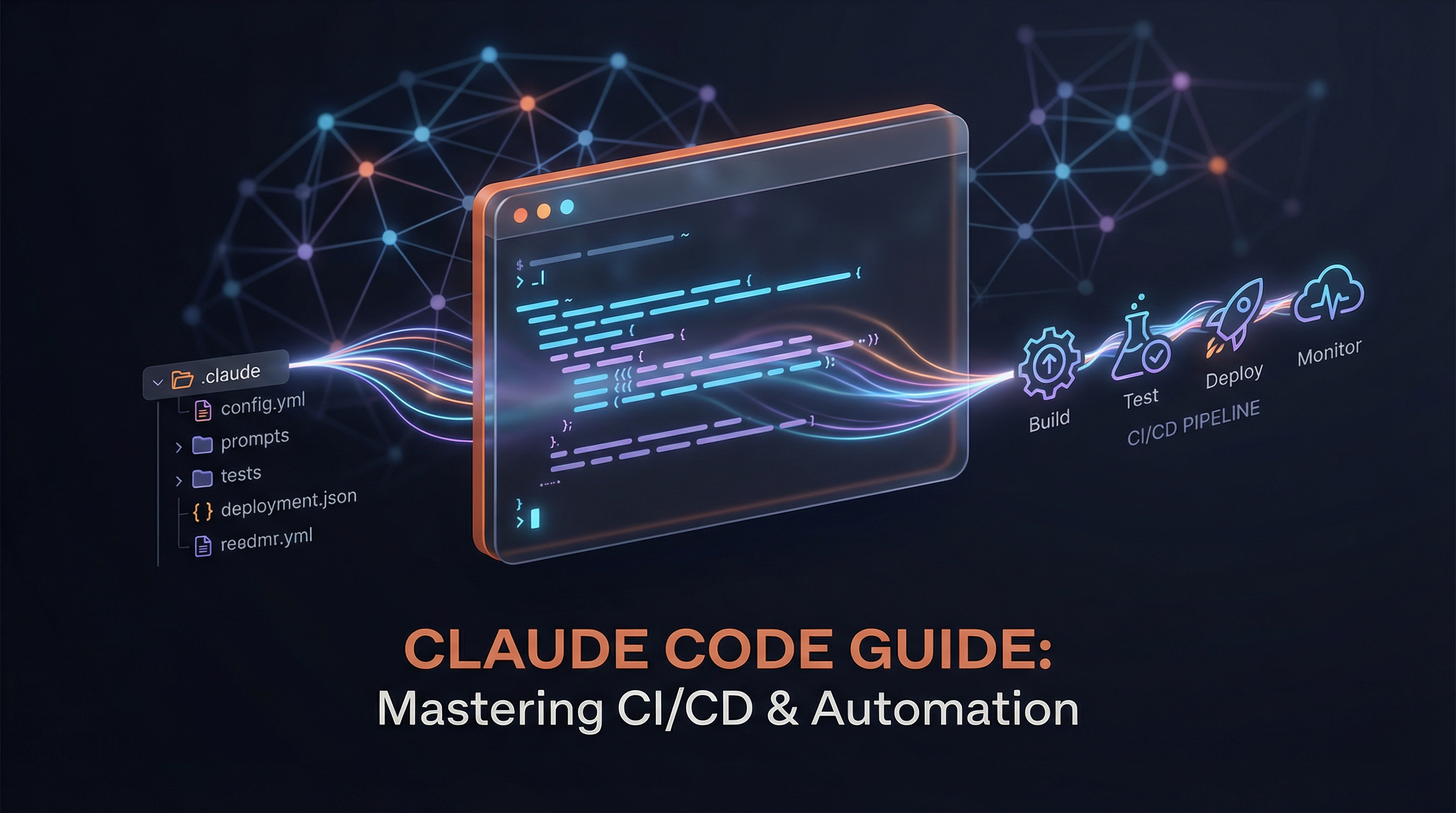
Claude Code hit #1 on Hacker News today. The post — a deep dive into the .claude/ folder anatomy — pulled 556 points and counting. Five YouTube tutorials dropped in the last 48 hours. X is buzzing with auto-fix demos, hooks configurations, and cloud session workflows. And Anthropic just shipped conditional hooks and cloud-based auto-fix in the same week.
Something is happening. Claude Code isn't just a developer tool anymore — it's becoming the default way a new generation of builders creates software. Prosumers who've never opened a terminal are cloning repos and shipping sites. Senior engineers are restructuring their entire CI/CD pipelines around it. The adoption curve isn't linear — it's vertical.
This guide covers everything. Installation to advanced workflows. Whether you're opening Claude Code for the first time or you're ready to wire it into your CI pipeline with hooks and auto-fix, this is the resource you bookmark and come back to.
What Is Claude Code?
Claude Code is Anthropic's command-line AI coding agent. Unlike chat-based AI assistants that suggest code snippets, Claude Code operates directly in your terminal — reading your files, understanding your project structure, writing code, running tests, committing to git, and executing shell commands. It's an autonomous agent, not an autocomplete engine.
Think of the difference like this: GitHub Copilot is a passenger giving directions. Claude Code is a driver who knows the roads, checks the mirrors, and parallel parks.
It runs on Anthropic's Claude models (currently Opus 4.6 by default for Max subscribers, Sonnet 4.5 for Pro) with a massive context window — up to 1 million tokens. That means it can hold your entire codebase in its head while working. No "I've lost context" mid-task. No re-explaining your architecture every conversation.
Installation and Setup
Prerequisites
You need:
- Node.js 18+ (Claude Code is an npm package)
- An Anthropic account with a Max subscription ($100/month for unlimited Opus 4.6) or Pro ($20/month with Sonnet 4.5 and limited Opus)
- A terminal — macOS Terminal, iTerm2, Windows Terminal, or any Linux terminal
- Git installed and configured
Install Claude Code
npm install -g @anthropic-ai/claude-code
That's it. One command. No Docker containers, no Python virtual environments, no config files to create first.
Authenticate
claude
Running claude for the first time opens a browser window for OAuth authentication with your Anthropic account. Once authenticated, the token is stored locally and you're ready to go.
Verify Your Installation
claude --version
claude /doctor
The /doctor command checks your environment — Node version, authentication status, git configuration, and available tools.
brew install claude-code. The npm install works everywhere, but Homebrew keeps you on the latest version without thinking about it.Your First Project Walkthrough
Let's build something real. Open a terminal, navigate to a project directory (or create a new one), and start Claude Code:
mkdir my-first-project && cd my-first-project
git init
claude
Claude Code launches in interactive mode. You'll see a prompt where you can type natural language instructions. Try this:
Create a React app with TypeScript that displays a real-time
cryptocurrency price dashboard. Use Vite for the build tool,
Tailwind CSS for styling, and the CoinGecko free API for data.
Include a search bar, favorites list, and auto-refresh every 30 seconds.
Watch what happens. Claude Code will:
- Plan — outline the architecture and file structure
- Scaffold — create
package.json,vite.config.ts,tsconfig.json, Tailwind config - Implement — write components, hooks, API integration, types
- Configure — set up routing, environment variables, dev scripts
- Test — run the dev server to verify everything works
The entire process takes 3-5 minutes. You'll see Claude requesting permission to create files and run commands — approve them, and your project materializes.
The Permission Model
Claude Code asks for permission before:
- Creating or modifying files
- Running shell commands
- Installing packages
- Making git commits
You can approve individually or use permission modes:
# Trust Claude more (approve file writes automatically)
claude --permission-mode auto-approve

# Trust Claude completely (use for throwaway projects only)
claude --permission-mode bypass
For learning, keep the default mode. Watching what Claude does — and why — teaches you more than the output itself.
The .claude/ Folder: Your Project's Brain
This is what hit #1 on Hacker News. The .claude/ folder is where Claude Code stores its understanding of your project. Think of it as the configuration layer between "generic AI" and "AI that knows your codebase."
Here's the anatomy:
.claude/
├── CLAUDE.md           # Project instructions (the big one)
├── settings.json       # Claude Code configuration
├── settings.local.json # Local overrides (gitignored)
├── commands/           # Custom slash commands
│   ├── review.md       # /review command
│   └── deploy.md       # /deploy command
├── skills/             # Reusable capabilities
│   └── my-skill/
│       └── skill.md
└── rules/              # Constraints and patterns
    ├── no-any.md       # "Never use TypeScript `any`"
    └── error-handling.md
CLAUDE.md — The Most Important File
CLAUDE.md is the instruction manual for Claude Code in your project. When Claude starts a session, it reads this file first. Everything in it shapes how Claude understands and works with your code.
A good CLAUDE.md includes:
# Project: CryptoDash

## Architecture
- React 18 + TypeScript + Vite
- State management: Zustand (NOT Redux — we migrated away in v2.1)
- API layer: TanStack Query with custom hooks in src/hooks/api/
- Styling: Tailwind CSS with custom design tokens in tailwind.config.ts

## Conventions
- All components use named exports (not default exports)
- API hooks follow the pattern: useGet{Resource}, useMutate{Resource}
- Error boundaries wrap every route-level component
- Tests colocate with source: Component.tsx → Component.test.tsx

## Do NOT
- Use `any` type — use `unknown` with type guards instead
- Import from barrel files (index.ts) in the same package
- Add dependencies without checking bundle size impact first
- Modify the auth flow without discussing with the team

## Build & Test
- Dev: `pnpm dev` (port 5173)
- Test: `pnpm test` (vitest)
- Lint: `pnpm lint` (eslint + prettier)
- Build: `pnpm build` (type-check → build → size report)
This is the difference between Claude writing generic React code and Claude writing code that fits your project. The more specific your CLAUDE.md, the better Claude's output.
The CLAUDE.md Hierarchy
Claude Code reads multiple CLAUDE.md files in priority order:
~/.claude/CLAUDE.md— Global instructions (your personal coding style, always applied)./CLAUDE.mdor./.claude/CLAUDE.md— Project root (team-shared, committed to git)./src/CLAUDE.md— Directory-specific (instructions for specific parts of the codebase)
Deeper files override shallower ones. This means you can have project-wide conventions in the root and specific rules for your API layer in src/api/CLAUDE.md.
.gitignore — they cascade from general to specific, with the most specific file winning. You probably already intuit how this works.settings.json — Configuration
This controls Claude Code's behavior:
{
  "model": "claude-opus-4-6",
  "permissions": {
    "allow": ["Read", "Write", "Bash(npm run *)"],
    "deny": ["Bash(rm -rf *)"]
  },
  "hooks": { },
  "mcpServers": { }
}
Key fields:
model— Which Claude model to use (opus-4-6, sonnet-4-5, haiku-4)permissions— Allowlist/denylist for file and command accesshooks— Lifecycle automation (covered in detail below)mcpServers— External tool integrations via Model Context Protocol
Custom Commands
Create reusable slash commands by adding Markdown files to .claude/commands/:
<!-- .claude/commands/review.md -->
Review the staged git changes. For each file:
1. Check for bugs, edge cases, and security issues
2. Verify test coverage for changed logic
3. Flag any deviations from our CLAUDE.md conventions
4. Rate the change: 🟢 Ship it, 🟡 Minor fixes, 🔴 Needs rework

Format as a PR review comment.
Now type /review in Claude Code and it executes this exact workflow.
The Hooks System: Automating Everything
Hooks are where Claude Code transforms from "AI assistant" to "development platform." They're user-defined commands — shell scripts, HTTP endpoints, or even LLM prompts — that execute automatically at specific points in Claude Code's lifecycle.
Hook Events
Claude Code fires hooks at these lifecycle points:
| Event | When It Fires | Common Use |
|---|---|---|
SessionStart | Session begins/resumes | Load environment, inject context |
PreToolUse | Before a tool call | Block dangerous commands, validate |
PostToolUse | After a tool call succeeds | Auto-format, lint, notify |
Notification | Claude needs attention | Desktop alerts, Slack messages |
SubagentStart | Subagent spawned | Log, resource management |
SubagentStop | Subagent finishes | Collect results, cleanup |
PreCompact | Before context compaction | Save important context |
PostCompact | After context compaction | Re-inject critical info |
SessionEnd | Session ends | Cleanup, report generation |
Your First Hook: Auto-Format on Save
Add this to your settings.json (or ~/.claude/settings.json for global):
{
  "hooks": {
    "PostToolUse": [
      {
        "matcher": "Write",
        "hooks": [
          {
            "type": "command",
            "command": "npx prettier --write \"$CLAUDE_FILE_PATH\""
          }
        ]
      }
    ]
  }
}
Every time Claude writes a file, Prettier formats it automatically. No more "Claude forgot to format" issues.
Conditional Hooks with if
This just shipped this week — the if field enables conditional hook execution:
{
  "hooks": {
    "PreToolUse": [
      {
        "matcher": "Bash",
        "hooks": [
          {
            "type": "command",
            "command": "echo 'Blocked: no direct DB access in production'",
            "if": "echo $CLAUDE_TOOL_INPUT | grep -q 'psql.*prod'"
          }
        ]
      }
    ]
  }
}
This blocks any shell command that tries to connect to your production database. The if condition runs first — if it exits 0 (true), the hook fires. If non-zero, it's skipped.
Notification Hook (Never Miss a Prompt)
{
  "hooks": {
    "Notification": [
      {
        "matcher": "",
        "hooks": [
          {
            "type": "command",
            "command": "osascript -e 'display notification \"Claude Code needs your attention\" with title \"Claude Code\"'"
          }
        ]
      }
    ]
  }
}
On macOS, this fires a native notification whenever Claude is waiting for input. On Linux, swap osascript for notify-send.
Prompt-Based Hooks: AI Reviewing AI
This is the advanced pattern. Instead of a shell command, you can use a Claude model as the hook handler:
{
  "hooks": {
    "PostToolUse": [
      {
        "matcher": "Write",
        "hooks": [
          {
            "type": "prompt",
            "prompt": "Review this file change for security vulnerabilities. If you find any, return BLOCK with an explanation. If it's safe, return ALLOW.",
            "model": "claude-haiku-4"
          }
        ]
      }
    ]
  }
}
A cheaper, faster model (Haiku) reviews every file write for security issues. It's AI auditing AI — and it costs fractions of a cent per check.
PreToolUse event run before the tool executes and can block it. PostToolUse hooks run after. If your hook is slow (network calls, heavy linting), consider making it async or using the async: true flag so it doesn't bottleneck Claude's workflow.Auto-Fix: Claude Code Meets CI/CD
This is the feature that has X buzzing this week. Auto-fix lets Claude Code automatically monitor your pull requests and fix CI failures — linting errors, type errors, failing tests — without you lifting a finger.
Here's how the developer reaction landed:

How Auto-Fix Works
- You push a PR to GitHub
- CI runs (tests, lint, type-check, build)
- If CI fails, Claude Code auto-fix activates
- Claude reads the failure logs, understands the errors, and pushes a fix commit
- CI re-runs on the fix commit
The magic: this now runs in the cloud. Your laptop can be closed. Your terminal can be off. Claude Code cloud sessions monitor your PRs and fix them autonomously.
Setting Up Auto-Fix
Enable it in your project's .claude/settings.json:
{
  "autoFix": {
    "enabled": true,
    "github": {
      "ciChecks": ["test", "lint", "typecheck", "build"],
      "maxAttempts": 3,
      "branchPattern": "feat/*"
    }
  }
}
Key configuration:
ciChecks— which CI jobs to monitor (match by name)maxAttempts— how many fix attempts before giving up (prevents infinite loops)branchPattern— which branches to auto-fix (don't auto-fixmain)
The CI Integration Pattern
For teams, the recommended setup is:
# .github/workflows/claude-autofix.yml
name: Claude Auto-Fix
on:
  check_suite:
    types: [completed]

jobs:
  autofix:
    if: github.event.check_suite.conclusion == 'failure'
    runs-on: ubuntu-latest
    steps:
      - uses: anthropic/claude-code-action@v1
        with:
          mode: auto-fix
          max-attempts: 3
          anthropic-api-key: ${{ secrets.ANTHROPIC_API_KEY }}
When a check suite fails, this GitHub Action triggers Claude Code to analyze the failure and push a fix. It's like having a junior developer who never sleeps, never gets frustrated, and fixes lint errors in 30 seconds.
Cloud Sessions and Remote Tasks
Claude Code isn't just a local tool anymore. Anthropic shipped Remote Tasks — the ability to run Claude Code sessions on Anthropic's cloud infrastructure, triggered on schedules or events.
What Cloud Sessions Enable
- Scheduled maintenance — "Every Monday at 9 AM, audit dependencies and open PRs for outdated packages"
- Event-driven workflows — "When a new issue is labeled
bug, create a branch, investigate, and open a draft PR" - Continuous documentation — "After every merge to main, update the API docs and changelog"
- Cross-timezone handoffs — "While the US team sleeps, triage new issues and prepare summaries"
Channels: Asynchronous Agent Communication
Paired with Remote Tasks, Channels let you communicate with running Claude Code sessions through Telegram, Discord, or SMS. Text your agent from your phone: "What's the status on that dependency audit?" It responds with a progress update.
This combination — Remote Tasks + Channels — transforms Claude Code from "tool you invoke" to "service that runs." Your agent becomes infrastructure.
Advanced Workflows
Multi-Agent Architecture with Subagents
Claude Code can spawn subagents — isolated Claude instances that handle specific subtasks. This is the pattern senior engineers are adopting for complex work:
Main Agent (Opus 4.6)
├── Subagent 1: "Implement the API endpoints" (Opus)
├── Subagent 2: "Write tests for the API" (Sonnet)
├── Subagent 3: "Update documentation" (Haiku)
└── Subagent 4: "Review all changes" (Opus)
Each subagent gets its own context window, its own workspace (via git worktrees), and can use a different model. The main agent orchestrates, delegates, and collects results.
Configure subagent behavior in your CLAUDE.md:
## Subagent Rules
- Implementation subagents use Opus for accuracy
- Test subagents use Sonnet (sufficient quality, faster)
- Documentation subagents use Haiku (cost-effective)
- Review subagents always use Opus (quality matters most here)
- Maximum 4 concurrent subagents
MCP Server Integration
Model Context Protocol (MCP) servers give Claude Code structured access to external tools. Out of the box, you can connect:
- Sentry — Claude reads error reports and fixes bugs directly
- GitHub — Full repo access, issue management, PR creation
- Linear — Project management integration
- PostgreSQL — Database schema awareness and query writing
- Gmail/Calendar — Schedule-aware task planning
Configure in settings.json:
{
  "mcpServers": {
    "sentry": {
      "command": "npx",
      "args": ["-y", "@sentry/mcp-server"],
      "env": {
        "SENTRY_AUTH_TOKEN": "${SENTRY_AUTH_TOKEN}"
      }
    }
  }
}
The Harness Engineering Pattern
The most sophisticated Claude Code users don't just use Claude Code — they build harnesses around it. A harness is the complete orchestration layer: CLAUDE.md files, hooks, custom commands, MCP integrations, review pipelines, and CI workflows that together produce consistently high-quality output.
We wrote an entire piece on this: Harness Engineering: The Developer Skill That Matters More Than Your Model. The short version: the same model scored 78% with one harness and 42% with another. The harness matters more than the model.
Key harness components:
- CLAUDE.md — Architecture and convention documentation
- Hooks — Automated formatting, linting, security checks
- Custom commands — Repeatable workflows (/review, /deploy, /test)
- MCP servers — External tool integration
- Subagent config — Multi-model delegation rules
- CI integration — Auto-fix, automated testing, deployment gates
Pricing: What It Actually Costs
| Plan | Price | Model Access | Usage |
|---|---|---|---|
| Pro | $20/month | Sonnet 4.5 (default), limited Opus | Good for learning, light projects |
| Max 5x | $100/month | Opus 4.6 (default), unlimited Sonnet | Best for daily development |
| Max 20x | $200/month | Opus 4.6 extended, priority access | For heavy users, teams |
| API | Pay-per-token | Any model | For CI/CD, automation, production |
For most developers, the Max 5x plan at $100/month is the sweet spot. You get unlimited Opus 4.6 — the S-tier model — with enough usage for full-time development. Compare that to a junior developer's hourly rate, and the math is obvious.
Tips That Actually Matter
After weeks of using Claude Code across multiple production projects, here's what actually moves the needle:
1. Write Your CLAUDE.md Before Writing Code
The 15 minutes you spend documenting your architecture in CLAUDE.md saves hours of correcting Claude later. Be specific about conventions, banned patterns, and preferred approaches.
2. Use /compact Strategically
Long sessions accumulate context. When Claude starts making mistakes or forgetting earlier decisions, run /compact to summarize and compress the context window. You can also set up a PostCompact hook to automatically re-inject critical information.
3. Start Conversations with Context
Instead of "add a login page," try: "Add a login page using our existing auth hook (useAuth in src/hooks/), the shared Button and Input components from src/components/ui/, and follow the same form validation pattern used in src/pages/Register.tsx."
4. Git Commit Frequently
Claude Code integrates with git natively. After each meaningful change, tell Claude to commit. This gives you rollback points and makes Claude's work reviewable in standard git diffs.
5. Trust But Verify
Auto-approve file writes for speed, but always review the diff before merging. git diff --staged is your best friend. Claude is good, not perfect.
6. Use the Right Model for the Job
- Opus 4.6 — Architecture decisions, complex implementations, code review
- Sonnet 4.5 — Standard feature work, tests, refactoring
- Haiku 4 — Documentation, repetitive tasks, bulk operations
7. Hooks Are Your Guardrails
Set up PreToolUse hooks to block dangerous operations. Set up PostToolUse hooks to auto-format. Set up Notification hooks so you never miss a prompt. These three hooks alone prevent 90% of the common frustrations.
The Ecosystem Is Exploding
The Claude Code ecosystem is growing faster than any developer tool since VS Code extensions. Here's what's out there:
- GSD (Get Shit Done) — A context engineering framework by Tache that sits on top of Claude Code and manages complex multi-step workflows
- OpenClaw / OpenCode — Open-source alternatives and extensions to the Claude Code CLI that add multi-agent orchestration
- Apple Watch Controller — Someone built an Apple Watch app to control Claude Code sessions in 6 hours (Garry Tan signal-boosted this one)
- Obsidian Integration — Use Obsidian as a knowledge base that feeds into Claude Code's context via MCP

The vibe-coding ecosystem is getting absurd — in the best way.
What's Coming Next
Based on this week's announcements and the trajectory:
- Agent-to-agent protocols — Claude Code subagents already exist. Expect formalized protocols for agents to delegate work across tools and providers.
- IDE integration — VS Code and JetBrains extensions that embed Claude Code's full agent capabilities (not just autocomplete).
- Team features — Shared CLAUDE.md configurations, team-wide hooks, org-level permissions.
- Smarter auto-fix — Currently handles lint and type errors well. Test failures and logic bugs are next.
- The Mythos upgrade — Anthropic's leaked next-tier model above Opus could dramatically expand what's possible in a single Claude Code session.
Start Building
Claude Code isn't waiting for you to be ready. The prosumer builders are already here. The senior engineers are already restructuring their workflows. The CI pipelines are already running auto-fix.
Install it:
npm install -g @anthropic-ai/claude-code
Create a CLAUDE.md. Set up your first hook. Push a PR and let auto-fix handle the lint errors. Build something that would have taken you a week — in an afternoon.
The tool is here. The ecosystem is exploding. The only question is how fast you adapt.
For more on the Claude Code ecosystem, check out our coverage of Remote Tasks and Cloud Sessions, the Harness Engineering deep dive, and our weekly-updated AI Coding Assistants Comparison.
About ComputeLeap Team
The ComputeLeap editorial team covers AI tools, agents, and products — helping readers discover and use artificial intelligence to work smarter.
Related Articles
Karpathy's Autoresearch Method: Build an AI Agent That Researches While You Sleep
A step-by-step tutorial on building autonomous AI research loops using Karpathy's autoresearch pattern. Learn the experiment → evaluate → keep/discard → iterate cycle with real use cases and practical tool recommendations.
Google Just Turned Workspace Into an AI Productivity Suite
Step-by-step guide to every new Gemini AI feature in Google Workspace — from Fill with Gemini in Sheets to auto-generated slide decks, cross-app doc generation, and semantic Drive search.
How to Start a Faceless YouTube Channel with AI (Step-by-Step)
A complete step-by-step guide to starting a faceless YouTube channel with AI in 2026. Avatar tools, script writing, editing, thumbnails — with real costs and realistic timelines.
Stay ahead of the AI curve
Get weekly insights on AI agents, tools, and engineering delivered to your inbox. No spam, just actionable updates.
No spam. Unsubscribe anytime.