Vibe Coding in 2026: How Founders Are Building Real Products Without Engineering Teams
Chamath built an HR system on a Sunday. Jason Freeberg shipped a 15-year-old dream project in a weekend. Here's the practical guide to vibe coding — what works, what breaks, and how to actually ship with AI coding tools.
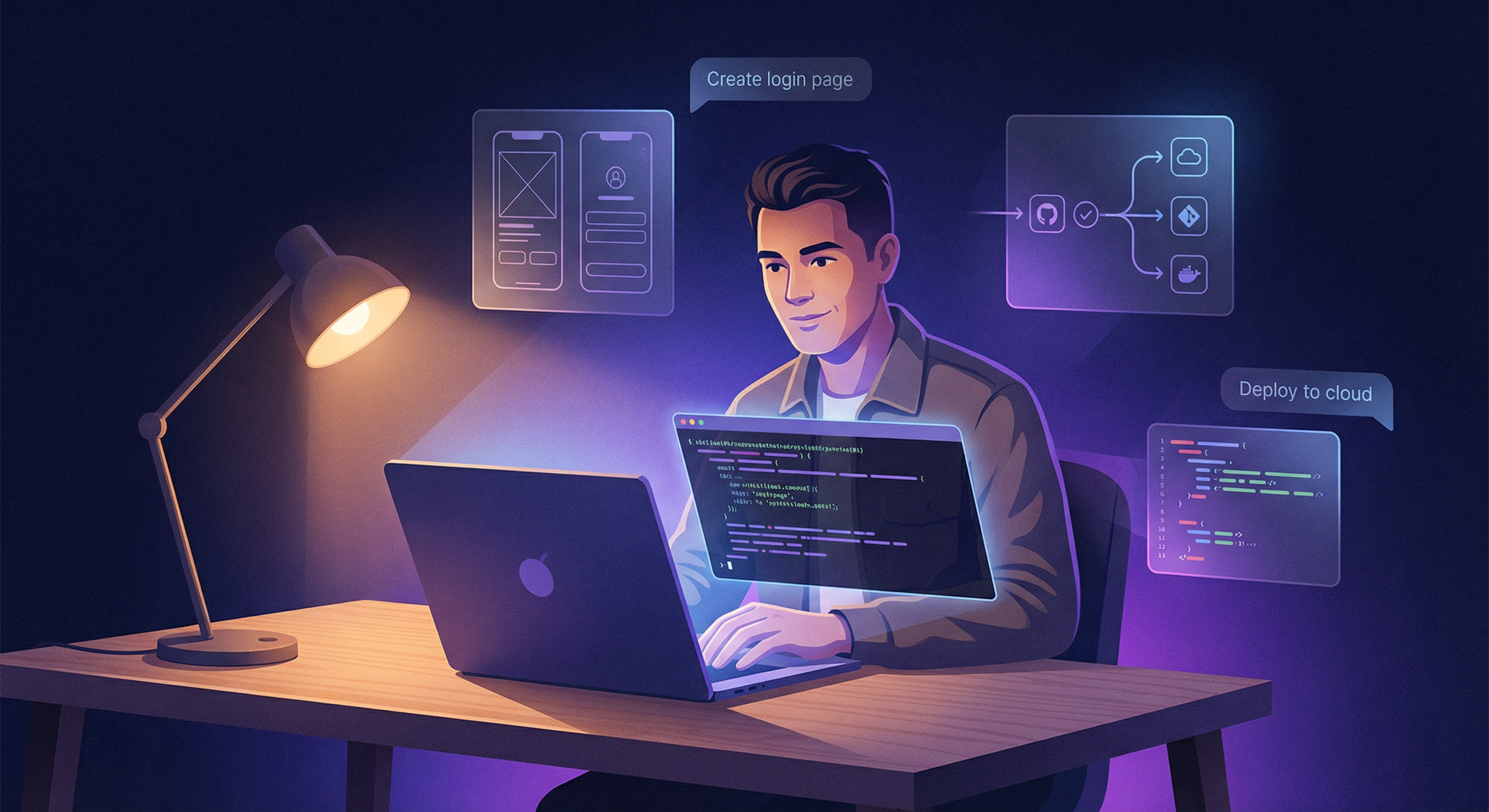
Chamath Palihapitiya built a replacement HR system for his company on a Sunday. Not a prototype — a working system that replaced the vendor. Jason Freeberg shipped annotated.com, a project he'd been thinking about for 15 years, in a single weekend. Neither of them wrote code in the traditional sense. They described what they wanted, and AI built it.
This isn't a hypothetical future. It's happening right now, in March 2026, and the results are forcing everyone — founders, engineers, investors — to recalibrate what's possible.
But here's the thing: vibe coding isn't magic. It's a skill with a workflow, a toolchain, and very real limits. This guide breaks down what's actually working, what breaks, and how to get started — without the hype.
What Is Vibe Coding?
The term comes from Andrej Karpathy, former Tesla AI director and OpenAI researcher, who coined it in early 2025:
"There's a new kind of coding I call 'vibe coding,' where you fully give in to the vibes, embrace exponentials, and forget that the code even exists."
Karpathy wasn't describing sloppy work. He was describing a fundamental shift in how software gets built: instead of writing code line by line, you describe what you want in natural language, and an AI agent writes, tests, and iterates on the implementation. You steer with intent. The AI handles syntax.
In practice, vibe coding means:
- Describing features in plain English (or any language)
- Reviewing what the AI generates — not writing it from scratch
- Iterating through conversation — "make the sidebar collapsible" or "add error handling for the API timeout case"
- Testing by using the app, not by reading every line of code
- Shipping when it works, not when you understand every implementation detail
It's closer to being a product manager who can deploy than a programmer who designs products. And in 2026, the tools have gotten good enough that this actually works for real applications.
The Evidence: Real Products Built Without Engineers
Let's start with what's actually been shipped. Not demos. Not "Hello World" apps. Real products that people use.
The All-In Podcast Revelations
The All-In crew — four billionaire tech investors who collectively touch hundreds of companies — have been vibe coding on air. Here's what they've reported:
Chamath Palihapitiya replaced his company's HR system by vibe coding it himself on a Sunday. Not a weekend hackathon with a team. Just him, an AI coding agent, and a problem to solve. The old vendor system cost money and was mediocre. The replacement works and does exactly what his company needs.
Jason Freeberg had been thinking about annotated.com for 15 years — a project he never had time to build because building software used to require... well, a lot of building. In a single weekend with AI coding tools, he went from concept to deployed product.
David Sacks described the overall shift: the barrier to testing a business idea is now close to zero. If you have a product idea, you can have a working prototype by Monday morning.
The YC Signal
Y Combinator's current batch tells the story in numbers. Garry Tan, YC's CEO, has been the most vocal advocate for what's happening:

His follow-up was equally pointed:

"Plan well before, test well afterwards" — that's the entire workflow in one sentence. Vibe coding isn't about eliminating skill. It's about changing where the skill gets applied. The thinking moves upstream (what to build, how to architect it) and downstream (testing, iterating, deploying). The middle part — writing the actual code — is increasingly handled by AI.
Peter Diamandis: The Macro View
Peter Diamandis, the XPRIZE founder who's been tracking exponential technologies for decades, has been making an even bolder claim: AI can now run significant parts of your company, not just write code.
His argument: the same AI agents that write code can also handle customer support, data analysis, content creation, and operational workflows. Vibe coding is just the most visible manifestation of a broader shift — AI as a general-purpose business tool, not just a developer productivity booster.
The Tools: Your Vibe Coding Stack
Not all AI coding tools are created equal. Here's an honest breakdown of the major players in March 2026, what each is best at, and who should use what.
Claude Code — The Power User's Choice
What it is: Anthropic's command-line AI coding agent. Runs in your terminal, reads your files, writes code, runs tests, commits to git, executes shell commands.
Best for: Developers and technical founders who are comfortable in a terminal. Full-stack applications, complex refactors, CI/CD integration.
Strengths:
- Massive context window (1M tokens) — it can hold your entire codebase in working memory
- Autonomous agent behavior — give it a task, it figures out the steps
- Direct filesystem and git integration — no copy-paste workflow
- The
.claude/folder system for persistent project memory (CLAUDE.md files) - Auto-fix integration with CI pipelines
Limitations:
- Terminal-only — no visual interface for non-technical users
- Requires Anthropic Max subscription ($100/month) for Opus-tier model access
- Steeper learning curve than GUI-based alternatives
npm install -g @anthropic-ai/claude-code), navigate to a project folder, and type claude. Then describe what you want to build in plain English. Start with something simple — a landing page, a data dashboard, a CRUD app — and work up from there.Cursor — The IDE Experience
What it is: A fork of VS Code with deep AI integration. Code editor with AI that can read your codebase, suggest changes across files, and execute multi-step plans.
Best for: Developers who want AI assistance within a familiar IDE environment. People who prefer visual interfaces over terminal workflows.
Strengths:
- Familiar VS Code interface — minimal learning curve for existing developers
- Multi-file editing with diff previews before applying
- Can use multiple AI models (Claude, GPT, Gemini) as backends
- Strong autocomplete and inline suggestions alongside agentic mode
Limitations:
- More expensive at scale — Cursor Pro + API costs add up
- Less autonomous than Claude Code — you're more involved in the loop
- Desktop app dependency
Windsurf (Codeium) — The Balanced Option
What it is: Another AI-enhanced IDE (also built on VS Code's foundation) with its own model and "Cascade" agent flow.
Best for: Developers who want a polished AI IDE experience with a focus on flow and context awareness.
Strengths:
- Good at maintaining context across long coding sessions
- Cascade feature chains multiple AI steps together
- Competitive free tier
Limitations:
- Smaller ecosystem than Cursor
- Model quality can be inconsistent compared to Claude or GPT-4 backends
Replit Agent — The No-Setup Option
What it is: A fully browser-based AI coding agent. Describe your app, Replit Agent builds it, deploys it, and gives you a URL.
Best for: True non-technical founders. People who want to go from idea to deployed app without installing anything.
Strengths:
- Zero setup — everything runs in the browser
- Built-in deployment — your app is live immediately
- Database, auth, and hosting included
- Truly accessible to non-programmers
Limitations:
- Less control over architecture and implementation details
- Vendor lock-in to Replit's hosting platform
- Can struggle with complex, multi-service architectures
- More expensive at scale than self-hosted alternatives
Bolt (StackBlitz) — The Rapid Prototyper
What it is: Browser-based AI app builder focused on speed. Describe what you want, get a running web app in seconds.
Best for: Rapid prototyping, landing pages, simple web apps. Testing ideas before committing to a full build.
Strengths:
- Incredibly fast — working prototypes in minutes
- Great for frontend-heavy applications
- No account required to start
- Shareable preview URLs
Limitations:
- Best for simpler applications — complex backends are harder
- Limited database and API integration compared to Replit
- Prototypes may need significant rework for production
Which Tool Should You Pick?
| If you are... | Start with... | Why |
|---|---|---|
| Technical founder, comfortable with terminal | Claude Code | Most powerful, most autonomous |
| Developer who wants AI in their IDE | Cursor | Familiar interface, strong multi-file support |
| Non-technical founder, want fastest path to deployed app | Replit Agent | Zero setup, built-in hosting |
| Testing an idea quickly, want a prototype ASAP | Bolt | Fastest from idea to visual prototype |
| Want a balance of power and polish | Windsurf | Good middle ground |
The Workflow: From Idea to Deployed App
Here's the actual process that works. Not theory — this is the workflow that the All-In crew, YC founders, and thousands of indie builders are using daily.
Step 1: Define Before You Describe
The biggest mistake vibe coders make is jumping straight into "build me an app." The AI is only as good as your spec.
Before you open any tool, write down:
- What the app does (one sentence)
- Who uses it (be specific — "marketers at B2B SaaS companies" not "everyone")
- Core features (3-5 max for v1)
- What success looks like (deployed and usable, not "feature complete")
Garry Tan's advice is dead-on: plan well before. Spend 30 minutes thinking about what you're building. This saves hours of AI-generated code that solves the wrong problem.
Step 2: Scaffold With Conversation
Start your AI tool and describe your app in detail. Be specific:
Bad prompt:
"Build me a project management app"
Good prompt:
"Build a project management app for freelance designers. It needs: a kanban board with drag-and-drop columns (To Do, In Progress, Review, Done), a client portal where clients can view progress and leave comments, file upload for design deliverables (images and PDFs up to 50MB), and email notifications when tasks change status. Use Next.js with TypeScript, Tailwind CSS, and Supabase for the backend. Deploy to Vercel."
The difference is night and day. Specific technology choices, specific features with details, specific user types. The AI can execute on this. The vague prompt generates a generic scaffold you'll immediately want to rewrite.
Step 3: Iterate, Don't Rewrite
This is the key mental model shift: treat the AI like a junior developer, not a code generator.
After the initial scaffold:
- Use the app. Click every button. Fill out every form.
- Note what's wrong or missing — but don't fix it yourself.
- Describe the problem to the AI: "The kanban board doesn't persist card positions when I refresh the page. Add local storage persistence and sync to Supabase."
- Watch it fix the issue, test again, repeat.
Each iteration should be small and focused. "Add drag and drop" is one iteration. "Make the client portal show real-time updates" is another. Don't try to describe everything in one mega-prompt.
Step 4: Test Like a User, Not a Developer
Test well afterwards — the second half of Garry Tan's formula.
You probably can't read every line of generated code (and you shouldn't need to). Instead:
- Test every user flow end-to-end
- Try to break it — enter weird data, click fast, open multiple tabs
- Test on mobile (even if you're building for desktop)
- Have someone else use it without guidance — watch where they get confused
- If it handles money or sensitive data, get a real engineer to review the security model
Step 5: Deploy and Iterate in Production
The old model: develop for months, test for weeks, deploy once.
The vibe coding model: deploy on day one, iterate daily.
Most AI tools can deploy directly:
- Replit — built-in, one click
- Bolt — shareable preview URL
- Claude Code — push to GitHub, connect to Vercel/Netlify/Railway
- Cursor — same as Claude Code, standard git workflow
Ship early. Ship ugly. Ship with known issues. Get real users touching it, then iterate based on actual feedback instead of imagined requirements.
Where Vibe Coding Breaks Down
This is the section most guides skip. Here's where vibe coding fails — and where it will continue to fail for the foreseeable future.
Complex State Management
AI coding tools struggle with applications that have intricate, interrelated state. Think: a collaborative document editor where multiple users can edit simultaneously, with undo/redo, conflict resolution, and real-time sync. The AI can scaffold this, but the subtle bugs in state synchronization will eat you alive.
The rule: If your app's core value depends on getting state management exactly right, you need an engineer.
Security-Critical Systems
Vibe coding an app that handles payments, medical records, or authentication is dangerous. AI models are trained on code that includes security vulnerabilities. They'll generate code that works but may have SQL injection vectors, insecure token storage, or missing input validation.
The rule: If a security breach would be catastrophic (financial data, health data, auth systems), get a security review from a human engineer. No exceptions.
Performance at Scale
AI-generated code tends to be correct but naive. It'll use O(n²) algorithms where O(n) exists. It'll make N+1 database queries. It'll load entire datasets into memory. For 100 users, this is fine. For 100,000 users, your app falls over.
The rule: If you expect real scale, plan for an engineering hire to optimize the critical paths. Vibe code the prototype, engineer the production version.
Complex Integrations
Connecting to third-party APIs with complex auth flows, webhook processing, retry logic, and error handling is where AI tools generate the most "it works on my machine" code. The happy path works. The error paths — timeouts, rate limits, malformed responses, auth token expiration — are where things break.
Large, Evolving Codebases
AI tools work best on greenfield projects. Once your codebase grows beyond a certain size (roughly 50,000+ lines of application code), the AI starts losing coherence. Changes in one area break assumptions in another. Context windows help, but understanding isn't just about seeing all the code — it's about understanding the history and intent behind it.
Who Should (and Shouldn't) Vibe Code
Vibe Coding Is For You If:
-
You're a founder validating an idea. Get a working prototype in front of users before spending $50K on a dev team. If nobody wants the product, you saved $50K. If they do, you have a working spec for the engineers.
-
You're a domain expert who understands the problem but can't code. A doctor who knows exactly what patient intake should look like. A teacher who knows how grading workflows should work. A sales manager who knows what a CRM is missing. Your domain knowledge is the hard part — the coding is now the easy part.
-
You're a developer who wants to move faster. You know how to code, but you don't want to spend three hours on boilerplate. Use AI for the scaffolding, write the critical logic yourself.
-
You're building internal tools. The reliability bar for an internal dashboard is lower than for a customer-facing product. Vibe code it, iterate when it breaks, improve over time.
-
You're prototyping. Full stop. For any prototype, vibe coding is now the fastest path from idea to something you can show people.
Vibe Coding Is Not (Yet) For You If:
-
You're building something where failure has serious consequences. Medical devices, financial trading systems, infrastructure software. These need rigorous engineering.
-
You need to maintain and evolve a complex system over years. AI-generated codebases can become unmaintainable if you don't understand the architecture. Plan for this.
-
You're competing on technical depth. If your competitive moat is the quality of your real-time video processing pipeline, you need engineers who understand the problem deeply.
-
You refuse to learn anything about how software works. Vibe coding lowers the bar dramatically, but it doesn't eliminate it. You need enough technical literacy to evaluate what the AI produces. If you can't tell when something is obviously wrong, you'll ship garbage.
Getting Started Today
Here's a concrete plan. Not "explore the tools" — actual steps.
Day 1: Pick One Tool, Build One Thing
-
If you have a terminal and 10 minutes: Install Claude Code (
npm install -g @anthropic-ai/claude-code), navigate to an empty folder, and ask it to build a personal task manager with a web UI. -
If you want zero setup: Go to bolt.new, describe a landing page for a business idea you've been thinking about, and deploy it.
-
If you want maximum hand-holding: Open Replit, start an Agent session, and describe a simple app — a habit tracker, a recipe organizer, a meeting notes tool.
The point isn't to build something good. It's to experience the loop: describe → review → iterate → ship.
Day 2: Build Something You Actually Need
Now that you've felt the workflow, build something real:
- A tool your team actually needs (internal dashboard, data viewer, workflow tracker)
- A prototype of your business idea
- An automation for something you do manually every week
Week 1: Ship to Users
Deploy your project. Give it to real people. Collect feedback. Iterate with the AI. This is where vibe coding becomes a genuine skill — learning to describe problems clearly, test thoroughly, and iterate efficiently.
The Cost
Most tools have free tiers that are sufficient for learning:
- Claude Code: $20/month (Pro) or $100/month (Max) via Anthropic
- Cursor: Free tier available, Pro at $20/month
- Replit: Free for basic projects, paid plans for more resources
- Bolt: Free to start
- Windsurf: Free tier available
Compare this to the cost of a single software engineer ($150K-250K/year, plus equity, benefits, management overhead, and 2-3 months of onboarding). For validating ideas and building internal tools, vibe coding is a rounding error.
The Bottom Line
Vibe coding in 2026 is real, practical, and changing how software gets built. The evidence isn't theoretical — it's Chamath replacing enterprise software on a Sunday, Garry Tan reframing the unit economics of software production, and thousands of founders shipping products that would have required engineering teams a year ago.
But it's not a replacement for software engineering. It's a new layer — a way for more people to build more things, faster. The founders who win with it are the ones who understand what it's good at (prototyping, internal tools, simple products, rapid iteration) and what it's not (security-critical systems, complex state management, performance at scale).
The barrier to building software just dropped to near zero. What matters now is what you decide to build.
About ComputeLeap Team
The ComputeLeap editorial team covers AI tools, agents, and products — helping readers discover and use artificial intelligence to work smarter.
💬 Join the Discussion
Have thoughts on this article? Discuss it on your favorite platform:
Related Articles
How a 5-Person AI Startup Outperforms Teams of 25 (With AI Coding Agents)
Variance — a YC-backed fraud detection startup — runs 5 engineers who operate like 25. Their secret: AI coding agents on every screen. Here's the playbook for small teams shipping at enterprise scale in 2026.
Claude Code Just Hit #1 on Hacker News. Here's Everything You Need to Know.
The definitive guide to Claude Code in 2026 — from installation and your first project to .claude/ folder anatomy, CLAUDE.md files, the hooks system, auto-fix CI integration, cloud sessions, and advanced workflows that are changing how developers build software.
Karpathy's Autoresearch: Build an AI Research Agent
Build autonomous AI research loops using Karpathy's autoresearch pattern. The experiment → evaluate → iterate cycle with real use cases.
Stay ahead of the AI curve
Get weekly insights on AI agents, tools, and engineering delivered to your inbox. No spam, just actionable updates.
No spam. Unsubscribe anytime.