Run AI Locally in 2026: DGX Spark, Unsloth & Beyond
The post-datacenter toolkit for local AI. DGX Spark benchmarks, Unsloth training, vLLM inference — when local beats cloud on cost, latency, and privacy.
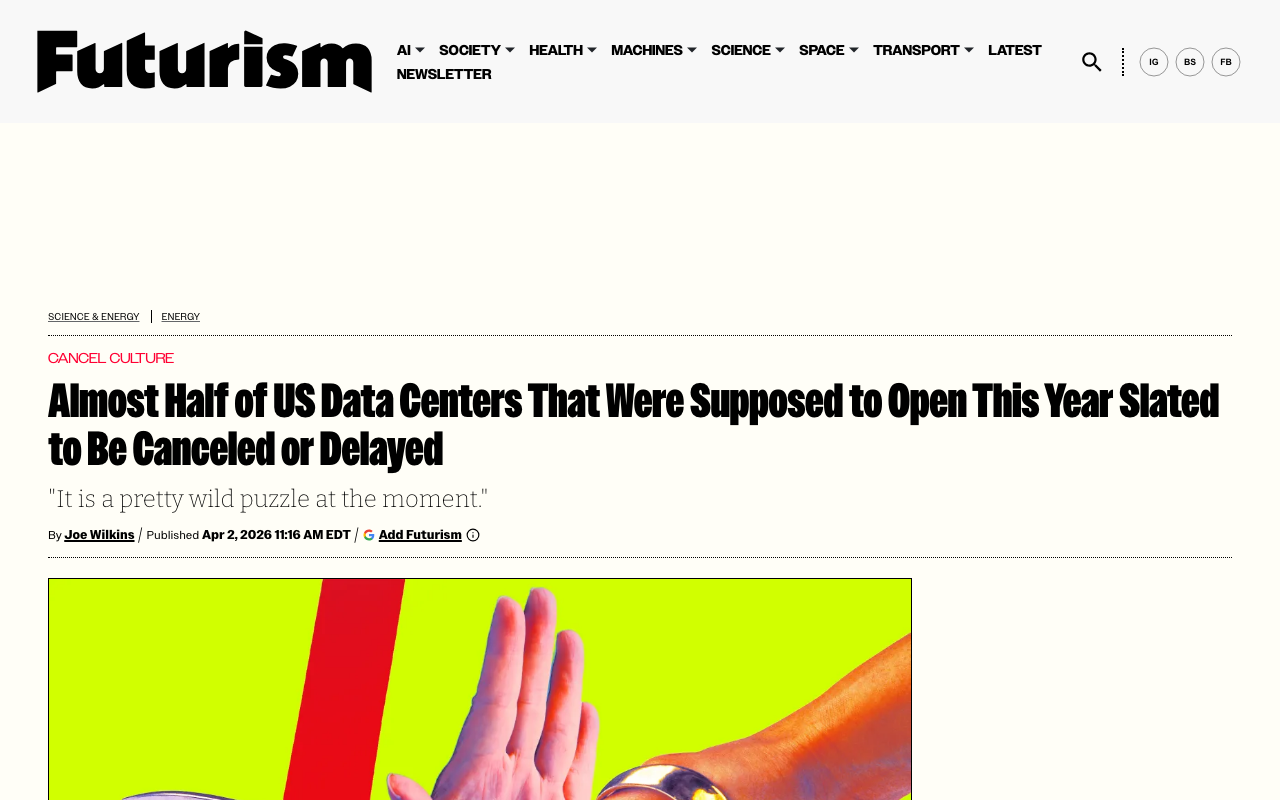
Half of the data centers planned for the United States in 2026 are facing delays or outright cancellation. Not because demand for AI compute is dropping — it is not — but because the physical infrastructure cannot keep up. Electrical transformers backordered from China. Grid connections stalled. And now, an entirely new force: voters saying no.
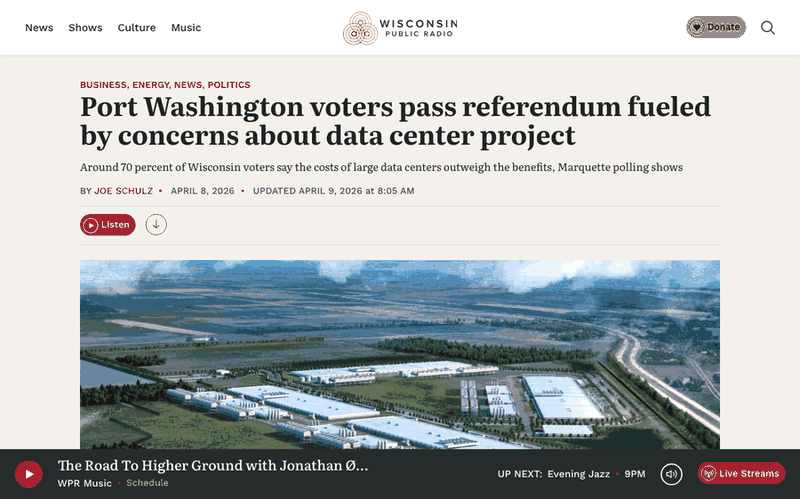
Port Washington, Wisconsin just passed the nation's first anti-data center referendum, requiring voter approval for any future development incentive over $10 million. The vote was not close — 66 percent in favor, with more than half the city's registered voters turning out. This is not NIMBY noise. It is a structural signal.
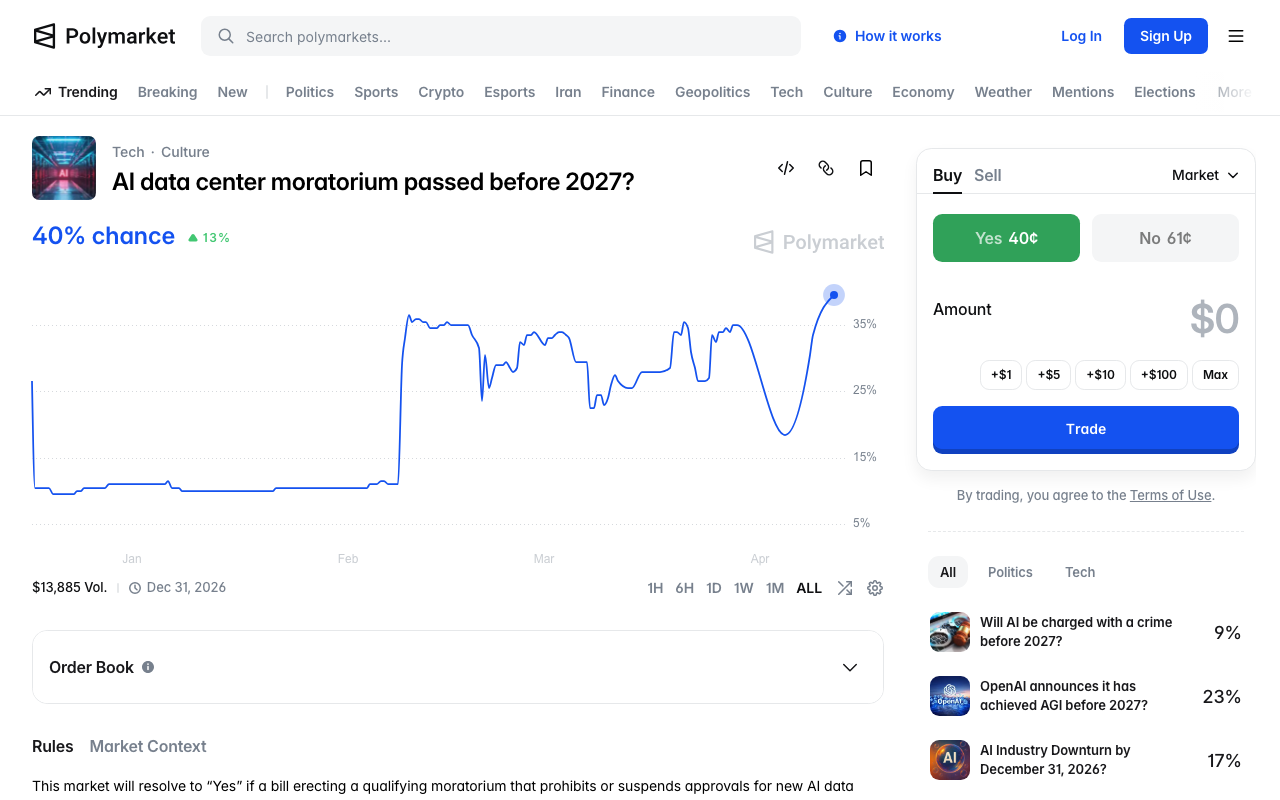
Meanwhile, prediction markets are pricing a 33.5% chance of a federal data center moratorium before 2027. Senator Mark Warner called the idea "idiocy," but the fact that a third of the market thinks it is plausible tells you something about the trajectory.
The cloud-first assumption for AI is fracturing. And while that fracture opens, a parallel story has been unfolding quietly: the tools for running AI locally have crossed the usability threshold.
This guide walks through what that toolkit looks like in April 2026 — the hardware, the frameworks, the training tools — and when local genuinely beats cloud on cost, latency, and privacy.
The Local AI Hardware Landscape
Three tiers of hardware now make local inference practical for different use cases. The days when you needed a server rack to run a capable model are over.
NVIDIA DGX Spark — The Dedicated AI Workstation
The DGX Spark is NVIDIA's answer to "what if we put a data center GPU in a desktop form factor?" Built around the GB10 Blackwell SoC — 20 ARM cores paired with a Blackwell GPU — it packs 128GB of unified LPDDR5x memory and delivers 1 petaFLOP of sparse FP4 performance.
The real-world benchmarks tell a nuanced story. Tom's Hardware's review found that NVIDIA's CES 2026 software update delivered up to 2.5x performance improvements over launch through TensorRT-LLM optimizations and speculative decoding. With speculative decoding enabled, some models see a 2x speed-up in end-to-end inference throughput.
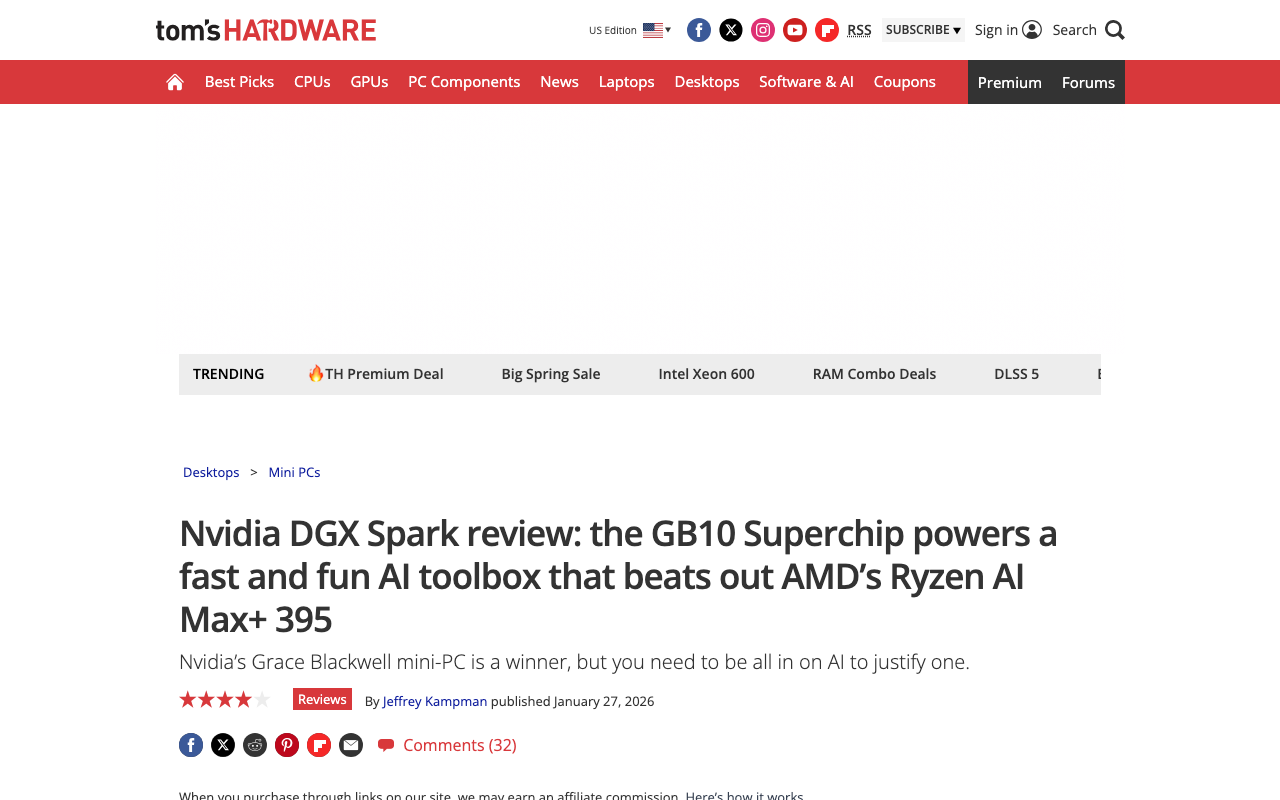
The catch is price. NVIDIA originally announced the DGX Spark at $3,000 in January 2025, raised it to $3,999, and the current shipping price is $4,699. For teams doing daily inference or fine-tuning work, the ROI math can work. For individual developers, there are better options.
Consumer GPUs — RTX 5090 and Beyond
For most developers, a consumer GPU remains the sweet spot. The RTX 5090 with 32GB of GDDR7 provides enough headroom to run quantized 70B models with comfortable context lengths. The RTX 4090 at 24GB is still the workhorse of the local LLM community.
On the professional side, the RTX PRO 6000 with 96GB of GDDR7 opens up full-precision runs of large models or multi-model serving — a mini data center on a single card.
AMD's RX 7900 XTX offers 24GB at a lower price point, and ROCm support has improved enough in 2026 that frameworks like vLLM now provide functional AMD GPU acceleration.
Apple Silicon — The Silent Contender
Apple's unified memory architecture makes M-series chips surprisingly competitive for inference. The key advantage is memory bandwidth per dollar — an M4 Max with 128GB of unified memory can load models that would require multiple GPUs on other platforms.
LM Studio's MLX backend delivers 26-60% more tokens per second on Apple Silicon compared to llama.cpp, depending on model size. If you already own a Mac, this is the cheapest path to local AI.
The Inference Stack: Ollama, LM Studio, vLLM
The tool landscape has consolidated around a clear hierarchy. Most developers in 2026 use a three-tool pipeline: LM Studio for model discovery, Ollama for development, and vLLM for production.
Ollama — The Developer Default
Ollama is a Go CLI daemon that wraps llama.cpp with a clean interface. Pull a model, serve it via an OpenAI-compatible API, and integrate it into any application. It runs as a background service, supports multi-model serving, and fits naturally into Docker-based workflows.
# Pull and run a model in seconds
ollama pull llama3.1:8b
ollama run llama3.1:8b "Explain PagedAttention in one paragraph"
Ollama's strength is programmatic access. If you are building an application — a RAG pipeline, an agent, or a local coding assistant — Ollama is where you start.
LM Studio — Model Discovery and Evaluation
LM Studio is a GUI application for downloading, testing, and comparing models. It handles GGUF quantization formats, provides real-time performance metrics, and since early 2025 has used Apple's MLX framework natively on Apple Silicon.
Where LM Studio shines is exploration. When a new model drops — Gemma 4, Qwen 3.5, the latest Llama variant — LM Studio lets you download it, test it interactively, and compare it against your current setup before committing to an Ollama deployment. If you are new to local AI, our earlier guide on running AI locally covers the LM Studio setup process in detail.
vLLM — Production-Grade Inference
vLLM is the open-source inference engine that has quietly become the standard for production local serving. With 74,900 GitHub stars and backing from UC Berkeley, it powers serious deployments.
The core innovation is PagedAttention — a technique that treats GPU VRAM like virtual memory, breaking the KV cache into fixed-size blocks that can be stored and reused across requests. The result is 24x throughput over HuggingFace's default serving and near-optimal memory utilization.
vLLM v0.16.0 (February 2026) expanded support to NVIDIA Blackwell SM120, AMD ROCm, Intel XPU, and TPU. Configure --gpu-memory-utilization 0.85 as a starting point, reserving 15% headroom for KV-cache spikes.
llama.cpp — The Foundation Layer
Everything above runs on llama.cpp under the hood. Both Ollama and LM Studio are wrappers around it. Running llama.cpp directly gives you minimum overhead — roughly 6-11% faster inference — plus Vulkan support for non-NVIDIA GPUs and the smallest disk footprint.
The trade-off is usability. llama.cpp is a power tool. If you want fine-grained control over quantization, prompt formatting, or batch scheduling, it is unmatched. For everyone else, Ollama or LM Studio provide the same engine with a better interface.
Unsloth: Local Training Goes Mainstream
Inference is only half the story. The ability to fine-tune models on your own data — on your own hardware — is what turns local AI from a cost play into a capability advantage.
Unsloth is the project that is making this accessible. With 61,000 GitHub stars and a new training UI that started trending this week (308 new stars in 24 hours), it has become the default tool for local fine-tuning.
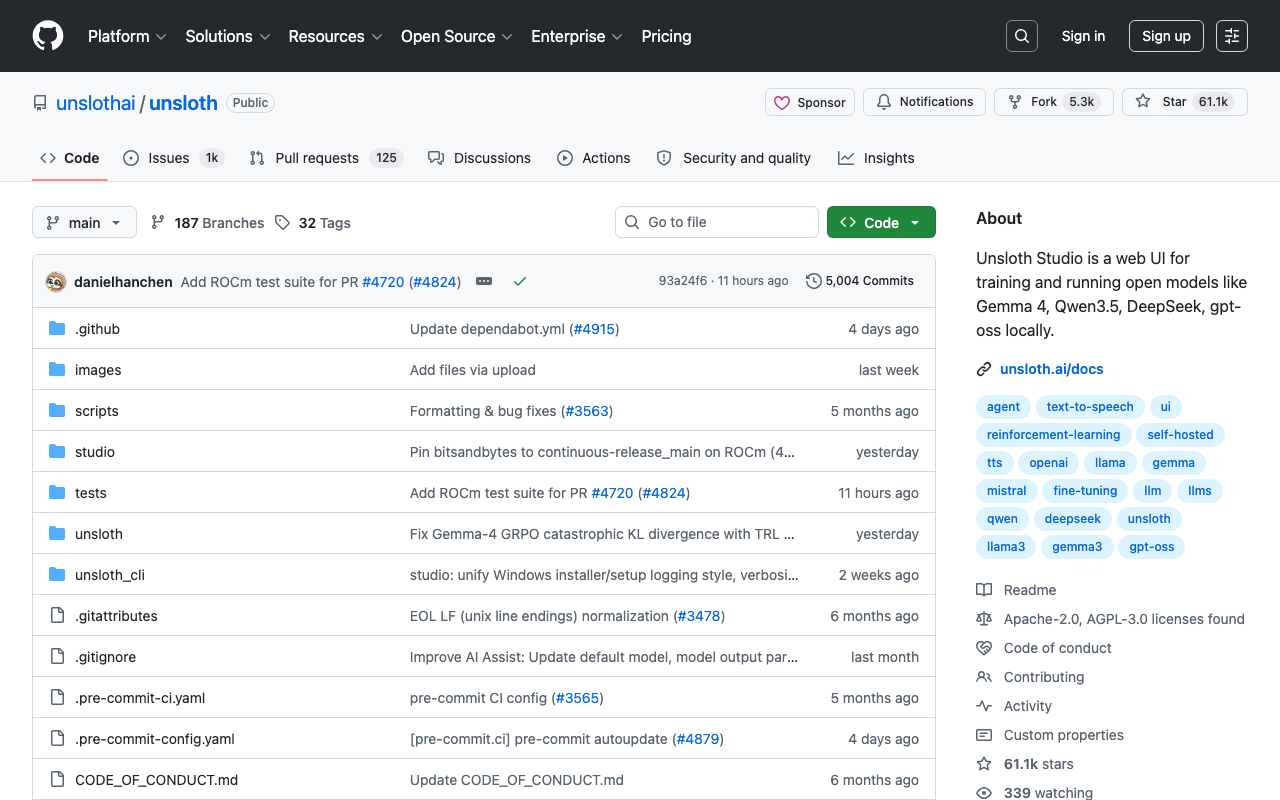
The numbers are stark: Unsloth trains models up to 2x faster with up to 70% less VRAM compared to standard approaches. Reinforcement learning with GRPO uses 80% less VRAM. These are not marginal improvements — they are the difference between "needs an A100" and "runs on your RTX 4090."
What shipped recently:
- Unsloth Studio — a web UI for creating data recipes from PDFs, CSVs, and DOCX files, then fine-tuning without writing code
- MOE model optimization — 12x faster training for Mixture of Experts architectures
- FP8 training — pushing the precision-performance frontier on consumer hardware
- 500K context length training — on consumer hardware, using custom Triton kernels and padding-free optimization
Unsloth supports NVIDIA GPUs, CPUs, and Apple MLX. It handles Gemma 4, Qwen 3.5, Llama 3.1, and over 500 other models. The dual license (Apache 2.0 for core, AGPL-3.0 for Studio) keeps the core engine fully open.
When Local Beats Cloud — A Decision Framework
The question is not whether local AI works. It does. The question is when it is the right choice. Here is the framework.
Local wins on cost when you run more than ~50 inference requests per day consistently. The crossover point depends on model size and cloud provider pricing, but the math is simple: the same inference that costs $0.50 in the cloud now costs $0.05 on-device. That 90% cost reduction compounds quickly.
Local wins on latency when you need sub-100ms responses. Network round-trips to cloud APIs add 50-200ms of latency that no amount of model optimization can eliminate. For real-time applications — coding assistants, interactive agents, embedded systems — local is the only option that hits the latency targets.
Local wins on privacy always. If your data cannot leave your environment — healthcare records, legal documents, proprietary code, financial data — local is not a preference, it is a requirement. No data retention policies, no compliance audits for third-party processors, no supply chain risk from API providers.
Cloud wins on scale when you need to serve thousands of concurrent users, access frontier models with hundreds of billions of parameters, or burst capacity during unpredictable demand spikes. Cloud also wins when you need the absolute latest models immediately — local deployment lags cloud availability by days to weeks.
| Factor | Local Advantage | Cloud Advantage |
|---|---|---|
| Cost (>50 req/day) | 90% cheaper | Pay-per-use flexibility |
| Latency | Sub-100ms | N/A |
| Privacy | Data never leaves | N/A |
| Scale | Fixed capacity | Elastic |
| Model access | Open-weight only | Frontier models |
| Setup cost | Hardware upfront | Zero |
Getting Started: Your First Local AI Setup
If you are starting from zero, here is the fastest path to running AI locally. You can reference our comprehensive local AI guide for detailed setup instructions.
Step 1: Check your hardware. You need roughly 1GB of RAM per billion parameters at 4-bit quantization. A machine with 16GB RAM can run 7B-8B models comfortably. 32GB opens up 13B-14B models. 64GB+ handles quantized 70B models.
Step 2: Install Ollama. One command on Mac or Linux:
curl -fsSL https://ollama.com/install.sh | sh
Step 3: Pull a model and go.
ollama pull gemma3:4b    # Fast, capable, 2.5GB download
ollama run gemma3:4b
Step 4: Scale up when ready. Move to LM Studio for model comparison, vLLM for production serving, or Unsloth if you need to fine-tune on your own data.
For developers already using Claude Code with Ollama, local models can serve as a cost-effective backend for routine coding tasks while routing complex reasoning to cloud APIs.
The Structural Shift
The datacenter cancellation wave is not a temporary supply blip. When only a third of planned capacity is actually under construction, and voters are passing referendums to block new facilities, the signal is clear: the centralized compute buildout is hitting physical and political limits.
IDC predicts that by 2027, 80% of AI inference will happen locally on devices rather than in cloud data centers. Gartner projects organizations will use small, task-specific AI models three times more than general-purpose LLMs.
The tools are ready. Ollama and LM Studio make inference accessible. vLLM makes it production-grade. Unsloth makes local training viable on consumer hardware. And hardware from the DGX Spark to the RTX 5090 to Apple Silicon provides the compute.
The practitioners who build local-first AI pipelines now — who invest in the hardware, learn the tools, and develop the muscle for fine-tuning on their own data — will have compounding advantages in cost, latency, and privacy that cloud-dependent teams cannot replicate.
The datacenter era is not ending. But its monopoly on AI compute is.
About ComputeLeap Team
The ComputeLeap editorial team covers AI tools, agents, and products — helping readers discover and use artificial intelligence to work smarter.
💬 Join the Discussion
Have thoughts on this article? Discuss it on your favorite platform:
Related Articles
Local AI Just Became the Default: Gemma 4 + omlx on M4
Gemma 4 31B is the new local baseline on M4 24GB. omlx ships LLM inference as a menu-bar app. The Apple Silicon substrate just got real.
Mozilla Firefox + Claude Mythos: 271 Bugs Found in 30 Days
How Mozilla's AI-driven vulnerability pipeline used Claude Mythos to find 271 Firefox bugs in April 2026 — methodology, results, lessons.
DeepClaude: Run Claude Code on DeepSeek for 90% Less
DeepClaude swaps Claude Code's backend to DeepSeek V4 Pro with 4 env vars. The setup, the real quality tradeoff, and when to switch back.
The ComputeLeap Weekly
Get a weekly digest of the best AI infra writing — Claude Code, agent frameworks, deployment patterns. No fluff.
Weekly. Unsubscribe anytime.