Run Claude Code for 99% Less With Ollama and OpenRouter
Run Claude Code with Ollama (free, local) or OpenRouter after Anthropic killed MAX plan support for third-party tools.
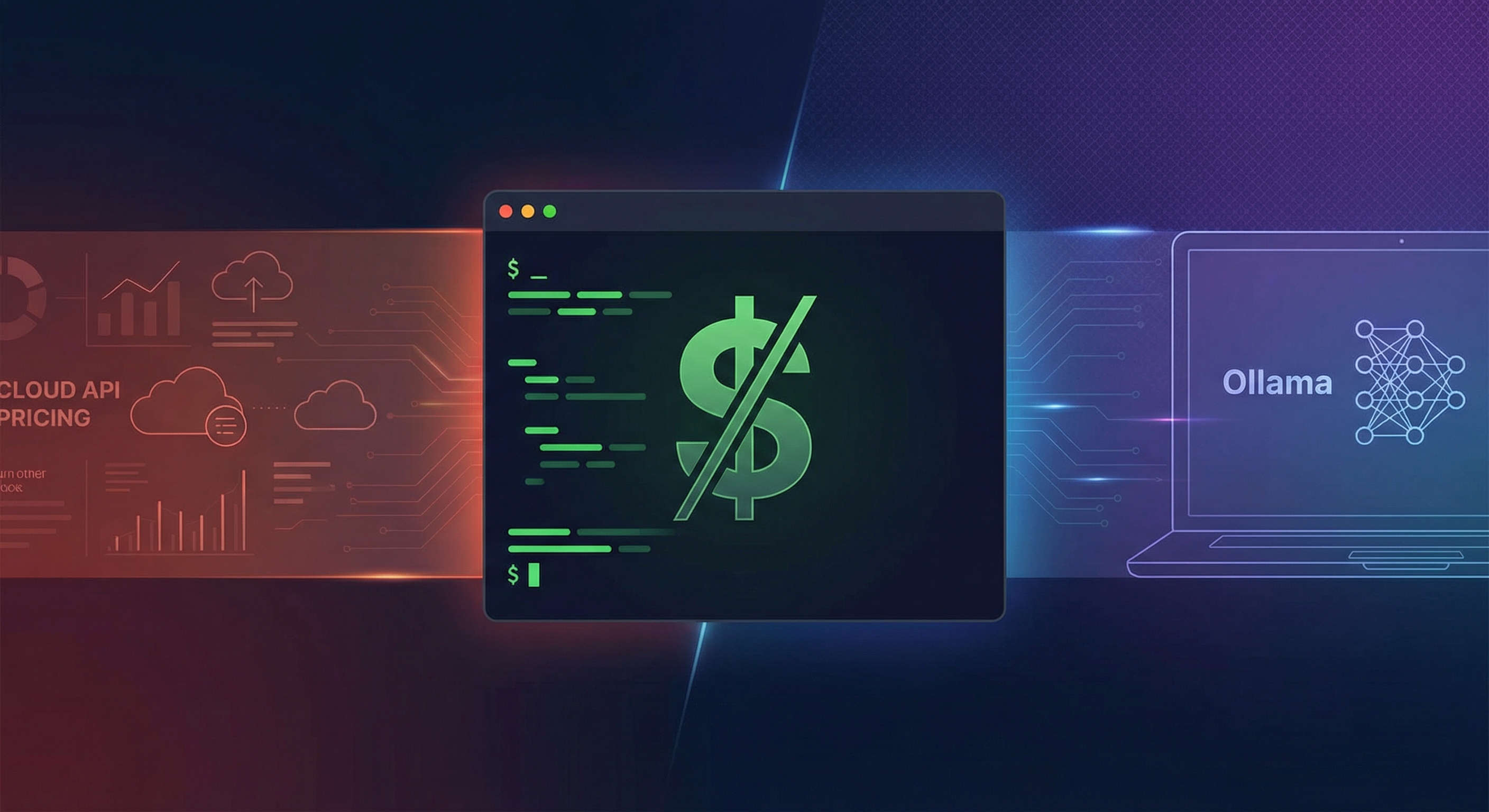
At 12 PM Pacific today, Anthropic flipped the switch. Claude Max subscriptions — the $100/month and $200/month plans that gave you unlimited Opus 4.6 — no longer work with third-party tools like OpenClaw, Cline, or any harness outside Anthropic's own apps. If you were running Claude Code through a third-party client on your Max subscription, it stopped working this afternoon.
The announcement came from Boris Cherny, Claude Code's creator, and was confirmed across multiple channels. The reaction was immediate: two separate tutorial videos dropped within hours, the "free Claude Code" community mobilized, and Hugging Face's CEO started posting CLI commands to run open-source models as direct replacements.
But here's the thing Claude Code's harness doesn't care which model powers it. The agent framework — the file reading, code writing, git integration, terminal execution — is separate from the language model underneath. Swap the model, keep the workflow. That's exactly what we're going to do.
This guide covers two approaches: Ollama (completely free, runs on your machine) and OpenRouter (pennies per request, cloud-hosted). Both work today. Both are tested. And both will save you 90-99% compared to API pricing.
What Actually Changed (And Why It Matters)
Let's be precise about what happened. Anthropic didn't shut down Claude Code. They didn't change the API. What they did was decouple the Max subscription from third-party tool access.
Previously, your $100/month Max plan gave you unlimited Claude Opus 4.6 usage — and that included any tool that could authenticate through your Anthropic account. Power users on OpenClaw were getting hundreds of dollars worth of API calls for a flat fee. From Anthropic's perspective, these users were "freeloading at scale," as one analyst put it.
Now, third-party tools require an API key with per-token billing:
- Claude Opus 4.6: $15 per million input tokens, $75 per million output tokens
- Claude Sonnet 4.5: $3 per million input tokens, $15 per million output tokens
For a typical coding session — 50,000 input tokens and 10,000 output tokens — that's roughly $1.50 per session with Opus or $0.30 with Sonnet. Do 10 sessions a day and you're looking at $450/month with Opus. Heavy users report $1,000+ monthly bills on the API.
| Usage Level | Max Plan (Before) | API Opus (After) | Ollama (Local) | OpenRouter |
|---|---|---|---|---|
| Light (5 sessions/day) | $100/mo | ~$225/mo | $0 | ~$5/mo |
| Medium (10 sessions/day) | $100/mo | ~$450/mo | $0 | ~$10/mo |
| Heavy (20+ sessions/day) | $200/mo | ~$900+/mo | $0 | ~$25/mo |
| Power user (all day) | $200/mo | ~$2,000+/mo | $0 | ~$50/mo |
Ollama costs = electricity only. OpenRouter costs assume using capable free-tier or low-cost models like Qwen3.5, Gemma 4, or DeepSeek.
The community response has been swift. Nate Herk published two tutorials the same day. Clément Delangue (Hugging Face CEO) posted literal CLI commands to run Gemma 4 locally as a Claude replacement. The "free Claude Code" tutorial is becoming its own genre.
Approach 1: Ollama — Free, Local, Unlimited
Ollama is an open-source tool that runs large language models on your own hardware. No API keys. No billing. No data leaving your machine. You download a model, point Claude Code at it, and you're coding.
Prerequisites
- macOS, Linux, or Windows (with WSL2)
- 16GB+ RAM (32GB recommended for larger models)
- ~20GB free disk space per model
- A reasonably modern CPU — Apple Silicon (M1+) or a recent AMD/Intel with AVX2
Step 1: Install Ollama
# macOS
brew install ollama

# Linux
curl -fsSL https://ollama.com/install.sh | sh

# Windows (via WSL2)
curl -fsSL https://ollama.com/install.sh | sh
Start the Ollama server:
ollama serve
This runs in the background and exposes a local API at http://localhost:11434.
Step 2: Pull a Coding Model
Not all models are equal for code generation. Here's what works well:
# Best overall coding model for local use (35B, needs 24GB+ RAM)
ollama pull qwen3.5:35b

# Great MoE option — only 4B active params, runs on 16GB (26B total)
ollama pull gemma4:26b

# Smaller but capable (needs 8GB+ RAM)
ollama pull qwen3.5:14b

# Budget option — runs on almost anything (needs 4GB+ RAM)
ollama pull qwen3.5:7b
qwen3.5:35b — it's the closest to Claude Sonnet quality for code. If you're on 16GB, gemma4:26b is excellent thanks to its MoE architecture (only 4B parameters are active at any time, so it runs fast despite the large model size). On 8GB, stick to qwen3.5:14b.Step 3: Configure Claude Code to Use Ollama
Claude Code reads its model configuration from environment variables. Set these before launching:
# Point Claude Code at your local Ollama instance
export ANTHROPIC_BASE_URL="http://localhost:11434/v1"
export ANTHROPIC_API_KEY="ollama"  # Ollama doesn't need a real key
export CLAUDE_CODE_MODEL="qwen3.5:35b"  # Match the model you pulled

# Now launch Claude Code normally
claude
To make this permanent, add those exports to your ~/.zshrc or ~/.bashrc:
echo 'export ANTHROPIC_BASE_URL="http://localhost:11434/v1"' >> ~/.zshrc
echo 'export ANTHROPIC_API_KEY="ollama"' >> ~/.zshrc
echo 'export CLAUDE_CODE_MODEL="qwen3.5:35b"' >> ~/.zshrc
source ~/.zshrc
Step 4: Verify It Works
claude
You should see Claude Code launch normally. Try a simple prompt:
Create a Python function that calculates the Fibonacci
sequence using dynamic programming. Include type hints
and docstring.
If it generates code, reads files, and executes commands — you're running Claude Code for free.
Ollama Troubleshooting
| Problem | Solution |
|---|---|
| "Connection refused" | Run ollama serve in a separate terminal |
| Slow generation | Try a smaller model or check RAM usage with htop |
| Model crashes mid-generation | You're out of RAM — switch to a smaller model |
| "Model not found" | Run ollama list to see installed models; name must match exactly |
Approach 2: OpenRouter — Cloud Models, Pennies Per Request
If your machine can't run local models (or you want frontier-quality output without the $15/MTok Opus price), OpenRouter is the play. It's a unified API that routes to 100+ models from different providers — many of them free or near-free.
Step 1: Get an OpenRouter API Key
- Go to openrouter.ai
- Create an account (free)
- Generate an API key from your dashboard
- Add credits — $5 will last weeks for most users
Step 2: Configure Claude Code
# Point Claude Code at OpenRouter
export ANTHROPIC_BASE_URL="https://openrouter.ai/api/v1"
export ANTHROPIC_API_KEY="sk-or-v1-your-key-here"

# Pick your model — here are the best options:
export CLAUDE_CODE_MODEL="qwen/qwen3.5-coder-next"    # Strong coder, ~$0.50/MTok
# export CLAUDE_CODE_MODEL="google/gemma-4-31b"        # Free tier available
# export CLAUDE_CODE_MODEL="deepseek/deepseek-v3.2"    # Great reasoning, ~$0.27/MTok
# export CLAUDE_CODE_MODEL="anthropic/claude-sonnet-4.5" # Full Claude, but cheaper than direct API

claude
Step 3: Pick the Right Model for Your Task
OpenRouter's strength is model selection. Match the model to the work:
| Task | Recommended Model | Cost/MTok (Input) | Why |
|---|---|---|---|
| Quick edits, scripting | qwen/qwen3.5:14b | Free | Fast, good enough for simple tasks |
| Feature development | qwen/qwen3.5-coder-next | ~$0.50 | Optimized for code, strong reasoning |
| Complex architecture | deepseek/deepseek-v3.2 | ~$0.27 | Excellent reasoning at low cost |
| Production-critical code | anthropic/claude-sonnet-4.5 | $3.00 | When quality matters most |
| Budget unlimited | google/gemma-4-31b | Free tier | Apache 2.0, solid all-around |
The Tradeoffs: What You Gain and What You Lose
Let's be honest about what you're giving up. This isn't a free lunch — it's a different lunch at a different price point.
What You Keep ✅
- The Claude Code harness — file reading, code writing, git operations, shell commands, the entire agent workflow
- Multi-file editing — Claude Code's ability to work across your whole project
- CLAUDE.md and hooks — your project context and automation rules still work
- Terminal UI — same interface, same commands, same muscle memory
What You Lose ❌
With Ollama (local models):
- Raw intelligence drops. Qwen 3.5 35B is ~85% of Claude Sonnet on coding benchmarks. For complex multi-step reasoning, you'll notice the gap. The hidden cost of cheaper reasoning models is real — they make more subtle mistakes.
- Context window shrinks. Most local models max out at 32K-128K tokens vs. Claude's 1M. For large codebases, this means Claude Code can't hold your entire project in context simultaneously.
- Speed varies wildly. On an M4 Max, Qwen 3.5 35B runs at ~25 tok/s. On an older Intel MacBook, you might get 3-5 tok/s. Opus via API gives you ~80 tok/s consistently.
- Your machine is busy. Running a 35B model uses 20-30GB of RAM and significant CPU/GPU. Don't expect to be running other heavy workloads simultaneously.
With OpenRouter:
- Latency is higher. Requests route through OpenRouter's proxy, adding 100-500ms per request compared to direct API calls.
- Free models have rate limits. The free tier on models like Gemma 4 restricts requests per minute. Heavy sessions will hit these.
- Model availability isn't guaranteed. If a provider goes down, that model goes down with it. OpenRouter's routing helps, but it's not immune.
The Pro Setup: Switching Models on the Fly
Power users don't pick one approach. They set up aliases to switch between models depending on the task:
# Add to ~/.zshrc or ~/.bashrc

# Free local model — for exploration, simple tasks
alias claude-local='ANTHROPIC_BASE_URL="http://localhost:11434/v1" ANTHROPIC_API_KEY="ollama" CLAUDE_CODE_MODEL="qwen3.5:35b" claude'

# Cheap cloud model — for feature development
alias claude-cheap='ANTHROPIC_BASE_URL="https://openrouter.ai/api/v1" ANTHROPIC_API_KEY="sk-or-v1-YOUR-KEY" CLAUDE_CODE_MODEL="qwen/qwen3.5-coder-next" claude'

# Full Claude Sonnet — when quality matters
alias claude-sonnet='ANTHROPIC_BASE_URL="https://openrouter.ai/api/v1" ANTHROPIC_API_KEY="sk-or-v1-YOUR-KEY" CLAUDE_CODE_MODEL="anthropic/claude-sonnet-4.5" claude'

# Direct Anthropic API — when you need Opus
alias claude-opus='ANTHROPIC_API_KEY="sk-ant-YOUR-KEY" CLAUDE_CODE_MODEL="claude-opus-4-6" claude'
Now you can type claude-local for free coding sessions, claude-cheap for daily work, and claude-opus only when you're tackling something that genuinely needs frontier intelligence.
# Exploring a new codebase? Free.
claude-local

# Building a feature? Pennies.
claude-cheap

# Debugging a race condition in your distributed system? Worth paying for.
claude-opus
What the Community Is Building
The "free Claude Code" movement isn't just about cost savings — it's about resilience. When your workflow depends on a single provider's pricing decisions, you're one announcement away from a 10x cost increase. Today proved that.

The response from the open-source ecosystem was immediate. Clément Delangue, Hugging Face CEO, posted CLI commands to run Gemma 4 as a direct Claude Code replacement within hours of the announcement:

Meanwhile, the broader Claude Code ecosystem keeps growing. Naval Ravikant captured the mood this week — the tool is addictive precisely because it makes building feel effortless:

And the Claude Code source code leak from earlier this week sparked its own community reaction. NLP researcher Yoav Goldberg's verdict after reading the codebase was telling — even messy code can power an incredible product:

This is a pattern we've seen before. Every time a closed provider tightens access, the open-source alternative gets a growth spike. The difference now is that open-source coding models are genuinely competitive — Gemma 4's 31B dense model ranked #3 on Arena AI's text leaderboard, and Qwen 3.5's coding variants are approaching Sonnet-level quality on SWE-bench.
Which Approach Should You Pick?
Pick Ollama if:
- You have 16GB+ RAM (32GB ideal)
- Privacy matters — your code never leaves your machine
- You do mostly routine coding (CRUD, scripts, tests, frontend)
- You want zero ongoing costs
- You're comfortable with ~85% of Claude's quality for most tasks
Pick OpenRouter if:
- Your machine can't run large models (8GB laptop, Chromebook)
- You want access to multiple model providers through one API
- You need near-frontier quality but can't justify Opus pricing
- You want the flexibility to switch models per task
- You're OK with $5-25/month instead of $0
Pick both if:
- You're a power user who wants the alias-switching setup above
- Use local models for exploration and simple tasks (free)
- Route to cloud models for complex work (cheap)
- Only pay full Anthropic API rates for genuinely hard problems (rare)
The Bigger Picture
Today's announcement is a business decision, not a technical one. Anthropic is profitable on API usage and losing money on Max subscribers who use third-party tools heavily. The subsidy had to end.
But the unintended consequence is acceleration. Every developer who sets up Ollama today is one more developer who knows how to run local models. Every OpenRouter account created this week is one more developer who understands model routing and cost optimization. The lock-in weakens with every migration guide that gets published.
Claude Code as a harness is still excellent — arguably the best agent framework available. But the model powering it? That's now a commodity. Compare the options, pick the right tool for each task, and don't pay $15/MTok for work that a $0 local model handles just fine.
The 99% cost reduction is real. The tradeoffs are real too. Now you know both sides.
Running Claude Code with alternative models and want to share your setup? We're collecting community configurations — reach out via our GitHub.
About ComputeLeap Team
The ComputeLeap editorial team covers AI tools, agents, and products — helping readers discover and use artificial intelligence to work smarter.
💬 Join the Discussion
Have thoughts on this article? Discuss it on your favorite platform:
Related Articles
AMD's Lemonade Just Made Every Nvidia-Only AI Guide Obsolete
AMD's Lemonade is an open-source local AI server for AMD GPUs/NPUs — runs LLMs, image gen, and speech with one install. Here's why it matters vs. Ollama.
How a 5-Person Startup Beats Teams of 25 With AI Agents
Variance (YC) runs 5 engineers like 25 using AI coding agents on every screen. The practical playbook for small teams shipping at enterprise scale.
Vibe Coding in 2026: How Founders Are Building Real Products Without Engineering Teams
Chamath built an HR system on a Sunday. Jason Freeberg shipped a 15-year-old dream project in a weekend. Here's the practical guide to vibe coding — what works, what breaks, and how to actually ship with AI coding tools.
Stay ahead of the AI curve
Get weekly insights on AI agents, tools, and engineering delivered to your inbox. No spam, just actionable updates.
No spam. Unsubscribe anytime.